
How do I enable the AI Summarization features in Neoserra
Neoserra offers a number of AI-powered summarization features:
The AI features are currently provided at no additional charge. However, OutreachSystems reserves the right to modify, suspend, or discontinue these features, or to introduce fees for their use, at its discretion and based on factors such as the costs associated with providing and maintaining the AI functionality. Any applicable fees or changes to the availability of these features will be communicated to users well in advance before the fees are applied.
Both features can be enabled independently, or together, by Database Administrators. And because you are in control, both features are turned off by default. You decide whether and when to make them available to your users. Simply log in as a database administrator and go to Administration|Configuration|AI:
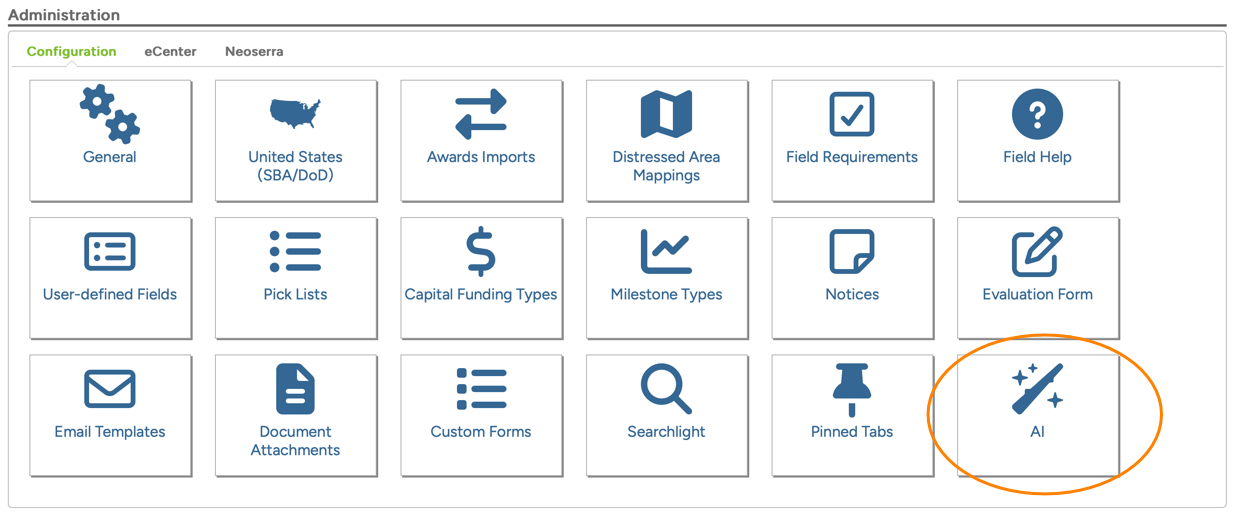
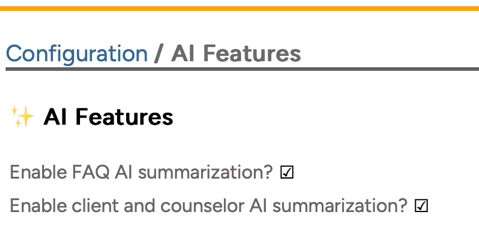
On the AI page, you can select to turn on one, or both features:
We want to assure you that OutreachSystems' implementation of AI is completely secure. We use a variety of different Large Language Models (LLMs) inside our private, highly secure Amazon Web Services (AWS) account. Data travels across private internal wires, never on the open public internet.
OutreachSystems will use appropriate precautions and will not intentionally submit your Neoserra information to AI services that use it for public-model training. The AI receives the prompt request for a summary, gives you an answer, and immediately forgets it. Your data is not stored or saved in the AI's memory.
Safety and protection of personal information is our number one concern. If we see any indication where the data is being misused, we will disable these features.
FAQ AI Summarization
The FAQ AI Summarization feature is displayed within your Neoserra top banner bar by way of a green question mark:

Get quick, helpful answers using the existing Neoserra FAQs as the foundation. Let AI help find the answers you need. Just type in your question in the box provided (see orange highlight below) and the answer will be provided below:
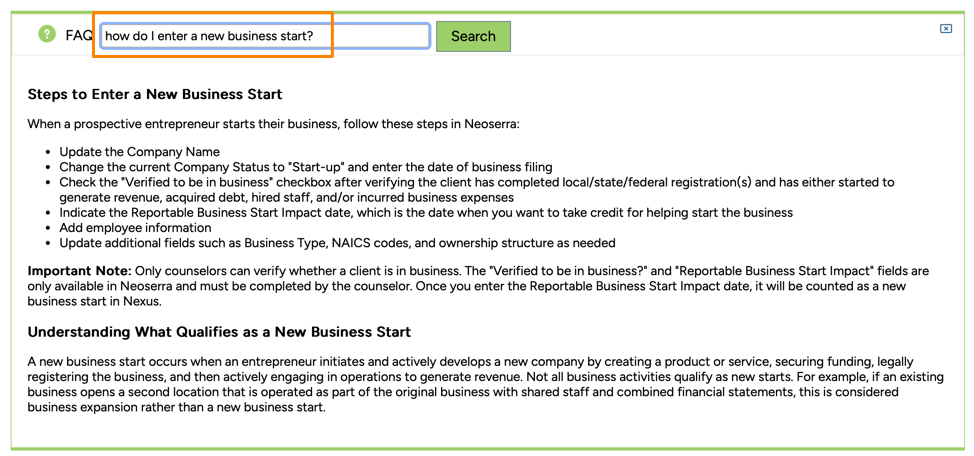
Of course, OutreachSystems does not know if the answer provided by AI is correct. If you doubt the answer, then we recommend that you find the appropriate FAQ created by OutreachSystems for additional details, or you are more than welcome to contact our Customer Services team, which consists of knowledgeable humans.
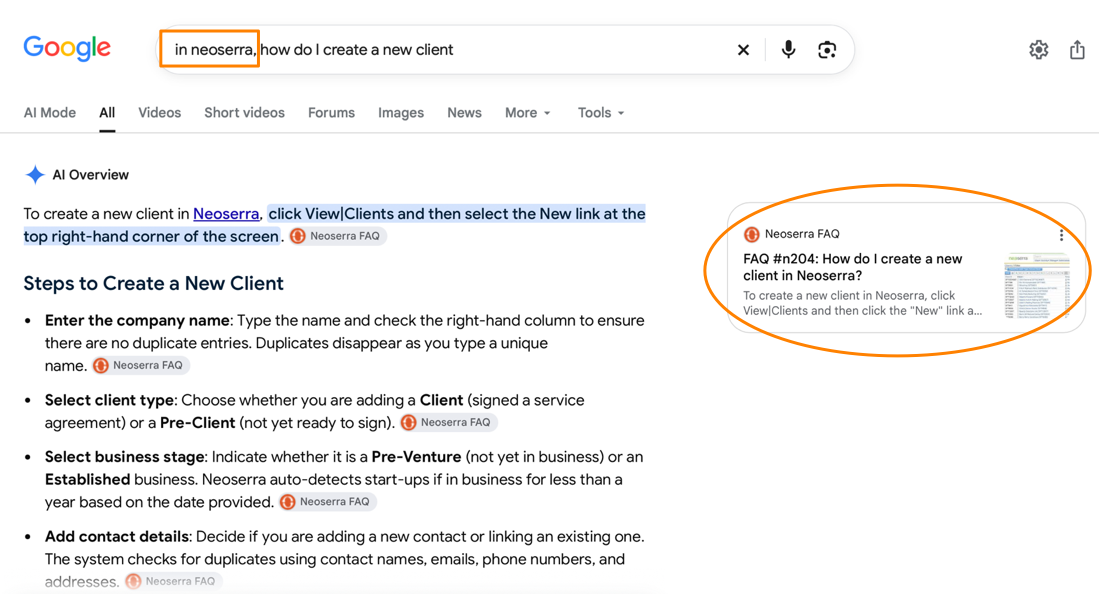
And, while we have added this functionality in Neoserra, in all honesty, a regular Google query probably provides a better result. Simply go to Google, preface your question with "In Neoserra,..." and Google will provide you with near perfect answers and reference the FAQ from which it deduced this information.
Notes AI Summarization
Neoserra offers Notes Summarization on two forms:
- Client Notes AI Summarization
- Counselor Notes AI Summarization
Client Notes AI Summarization
The Client Notes AI Summarization is displayed as a button at the top of the client's data stream:
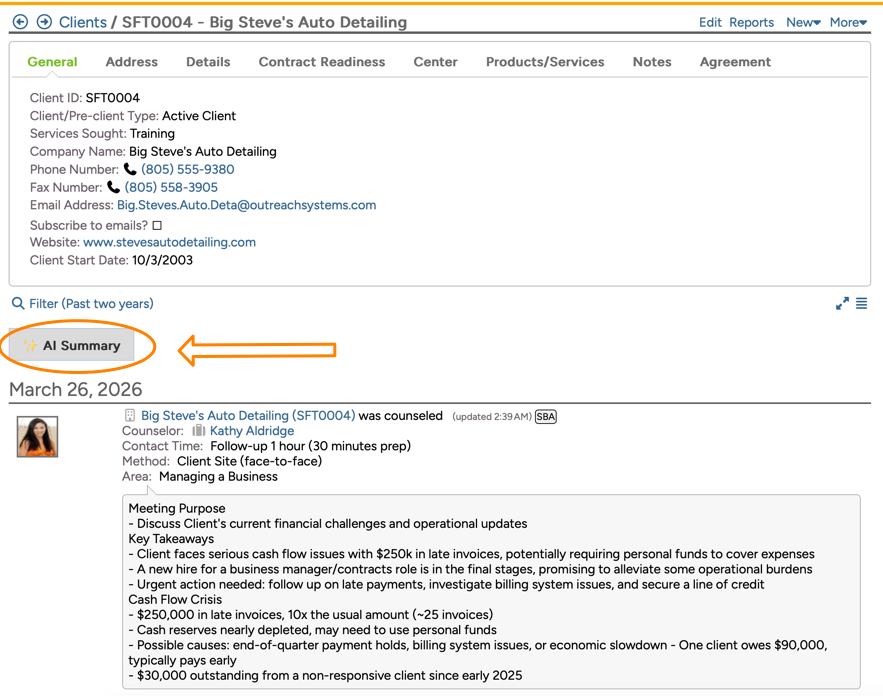
Clicking the button will provide you with a concise overview of a client's existing notes, making it easier to quickly understand their history and key interactions at a glance. Keep in mind that your filter will determine the sessions to be taken into consideration for the AI Summary. Thus, if you client filter is limited to the last 30 days, then the AI Summary will be based upon the last 30 days. Similarly, your permissions may limit the sessions included in the filter. If a client is counseled by two centers, but you only have permissions to see the sessions under one center, then only the notes entered under the center to which you have permissions will be included in the AI Summary.
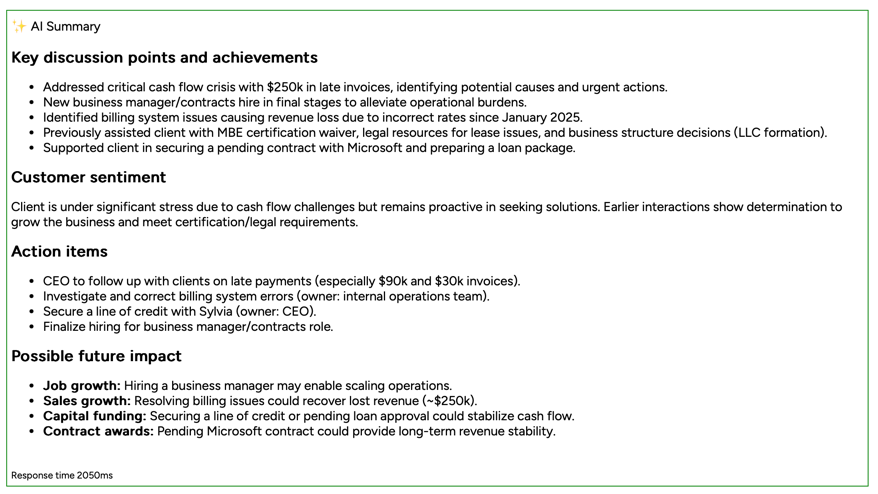
The Client AI Summarization is broken down into four sections:
- Key discussion points: This section summarizes the client client notes
- Customer sentiment: The section looks for the client's participation and engagement
- Action items: This section looks for outstanding items
- Possible future impact: This section looks for impact such as job growth; sales growth; business start; capital infusion; contract awards; socioeconomic certifications; business plan; federal or state registrations; and cybersecurity certifications, among others.
Counselor Notes AI Summarization
The Counselor Notes AI Summarization is displayed as a button at the top of the counselor's data stream:
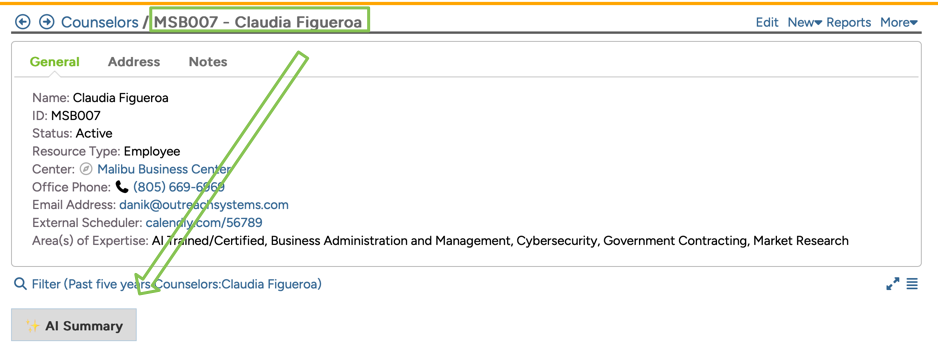
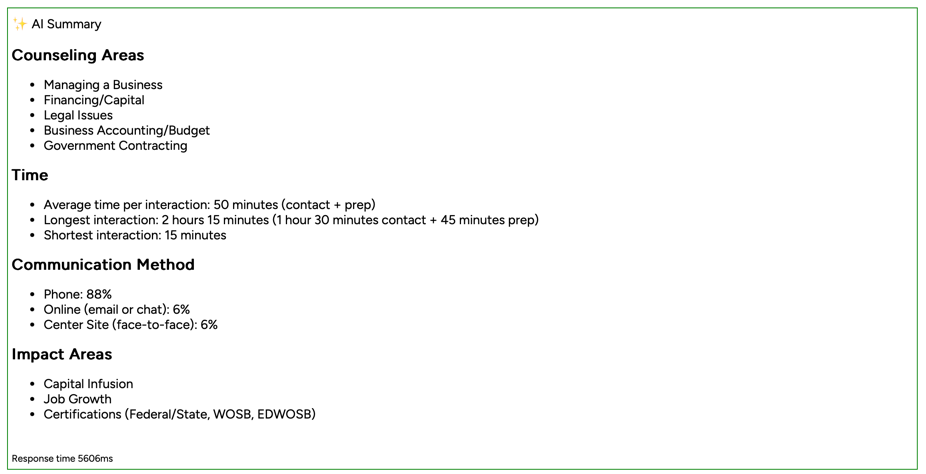
Clicking the button will provide you with a summary of the counselor's activity:
- Counseling areas: This section will provide you with the five primary areas of assistance provided by this counselor.
- Time: The section will provide you with this counselor's average time per session and it will highlight the outliers (most/least amount of time)
- Communication method: This section shows how this counselor most commonly meets with their clients (in-person/online/phone/etc.)
- Impact areas: This section shows the top three areas of impact that this counselor has focused on.
Want more? Browse our extensive list of Neoserra FAQs.