
How can I search for either the 2-digit or 3-digit NAICS code using Neoserra's filters?
By default, Neoserra only allows you to search for the complete 6-digit NAICS code. However, there may be instances when you want to search for all client that have a NAICS code starting with 333 or 331. If that is the case, then only a Neoserra database administrator can create a custom saved filter using the abbreviated code.
First you will want to create a filter using a single NAICS code. Make sure you add your additional parameters to the filter such as searching only for Active Clients across all centers:
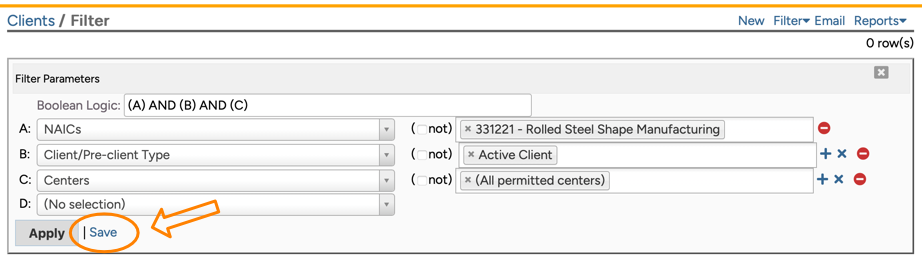
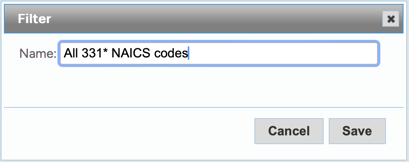
Once you have created your filter then make sure you click "Save" and save the filter. The name can already reflect the wildcarding that we will be adding "under the hood" shortly:
Now that the NAICS code has been saved, go to Manage|Saved Filters and click on "Clients" to see all the saved client filters. Make sure you are in administrator-mode and assuming that you are, then click on the newly saved filter. Next, you will want to manually edit the SQL:
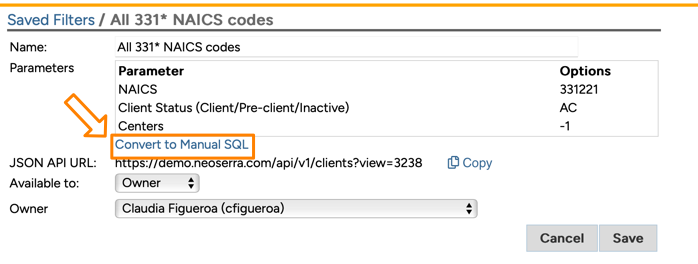
Clicking on the "Convert to Manual SQL" will change the view to show the underlying SQL:
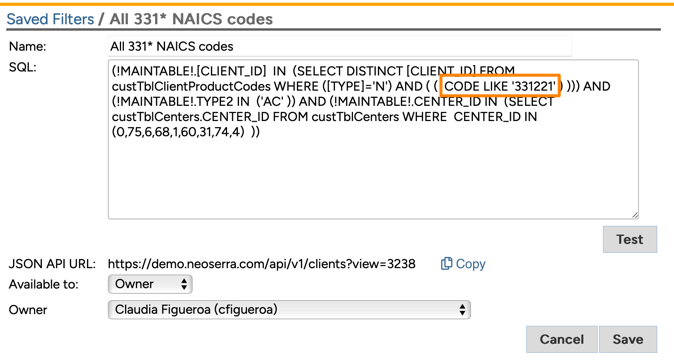
If you are not familiar with SQL then this may look like gobbledygook but don't worry we just want to focus on changing the one NAICS code to a wildcard. It is important not to edit the rest of the SQL and definitely do not add or delete parentheses or quotes. Our goal is to change the one code to a wildcard. Thus, in the example above we want to change 331221 to any NAICS code starting with 331. More specifically the SQL will change from:
- CODE LIKE '331221'
- CODE LIKE '331%'
In SQL, the percentage is a wildcard (do NOT use the asterisk which has a totally different meaning in SQL):
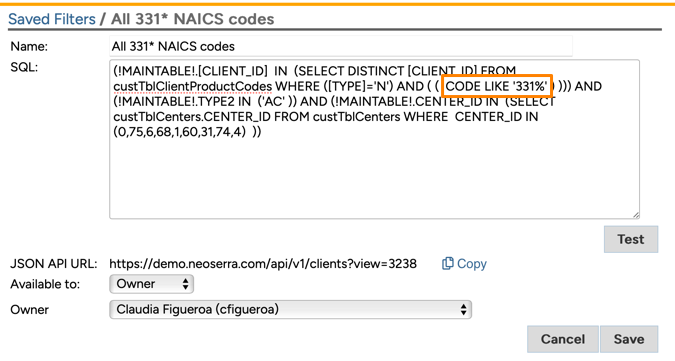
To make sure you didn't "break" the SQL, it is important to "Test" your query after you have edited it. Make sure the criteria is returning results (even if no records were found). It is important that the test does not generate errors:
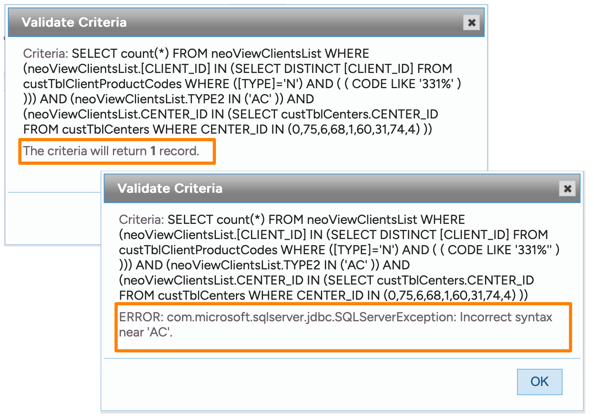
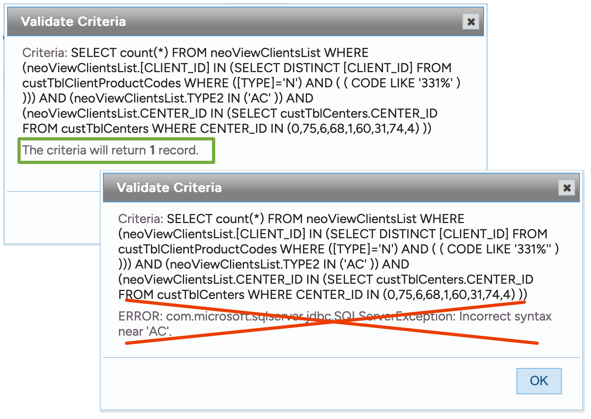
Now click to "Save" your edits and you can run the filter at any time to get all clients with the abbreviated NAICS code. If you want to share this newly saved filter with the other users of your program then make sure you edit the "Available" field accordingly:
Want more? Browse our extensive list of Neoserra FAQs.